Overview (dashboard home)
What it is
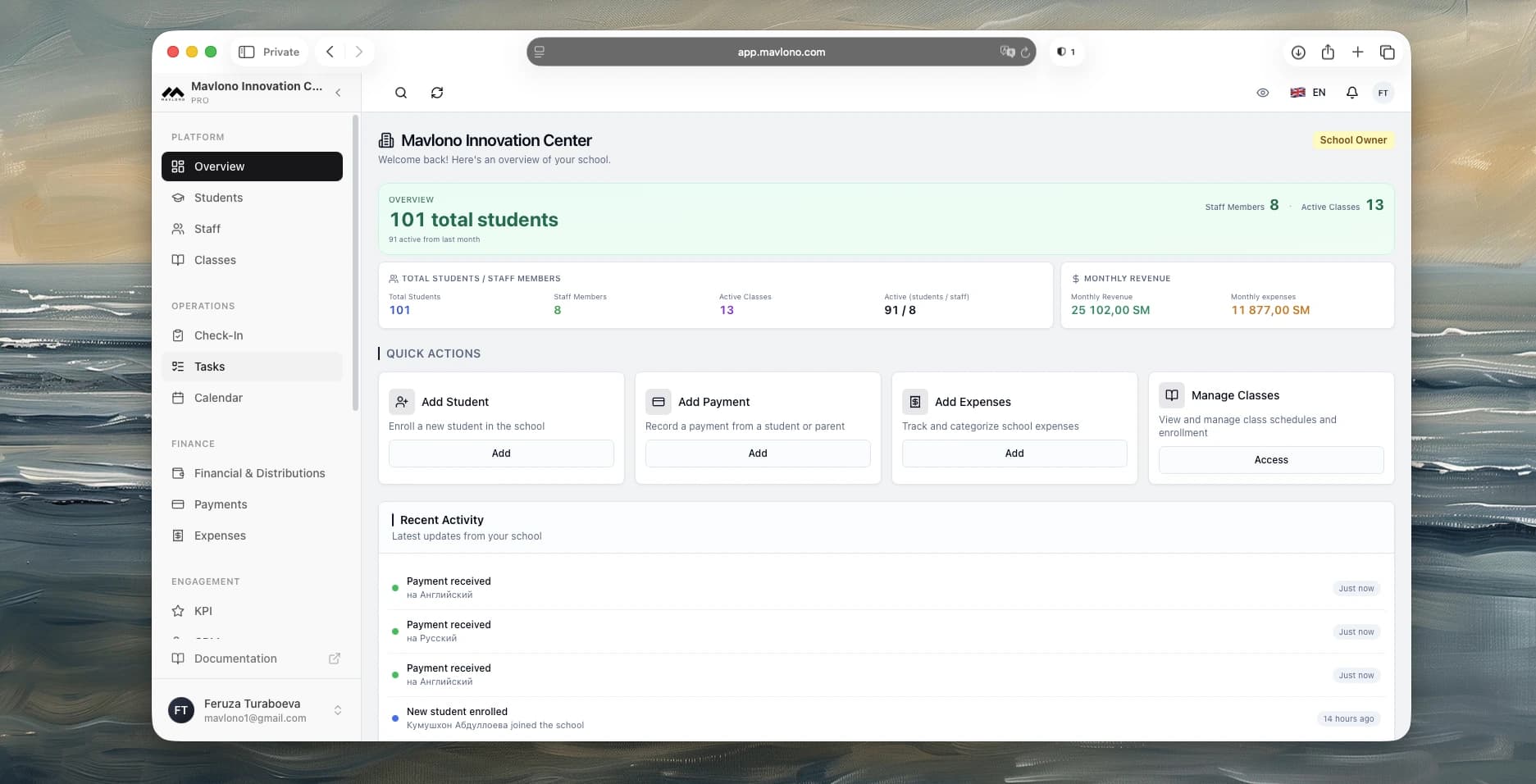
Main dashboard with key numbers and quick actions.
How to use
Open Overview in the sidebar. You see total students, staff, active classes, monthly revenue (if allowed), and recent activity. Use quick actions to add a student, record a payment, add an expense, or open classes.
Why it's needed
One place to see how the school is doing and complete common tasks quickly.
Available to:
Owner / Admin / Support / Accountant / Partner